
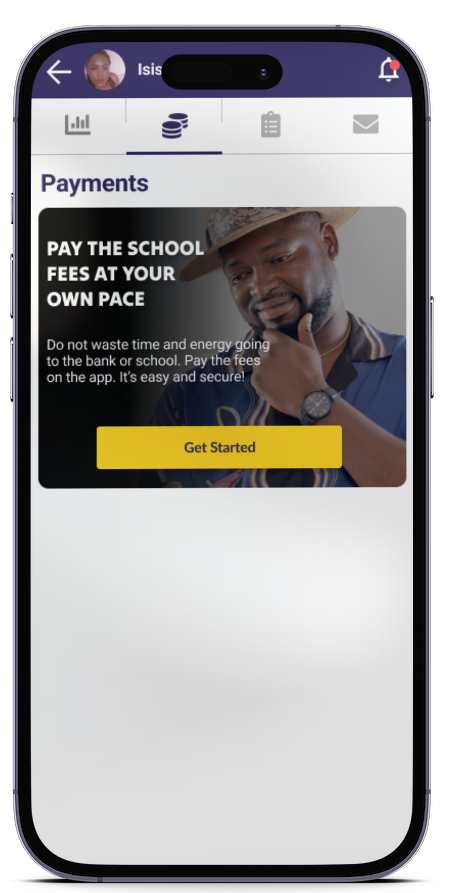
Eska lets parents pay their kid’s school fees with ease via mobile payment or bank account, without the need to travel to the bank or school. Each transaction is secure, fully recorded, and automatically confirmed. This guide simply demonstrates how to make a payment by following the steps presented in the video tutorial.
Step 1: Adding your kid to the application
Once you have downloaded and opened the Eska application:
- Tap “Add a kid”
- Enter their full name
- Access their personal profile
- Scroll down to school details
- Fill in the requested information
This step ensures your kid is correctly linked to their school.
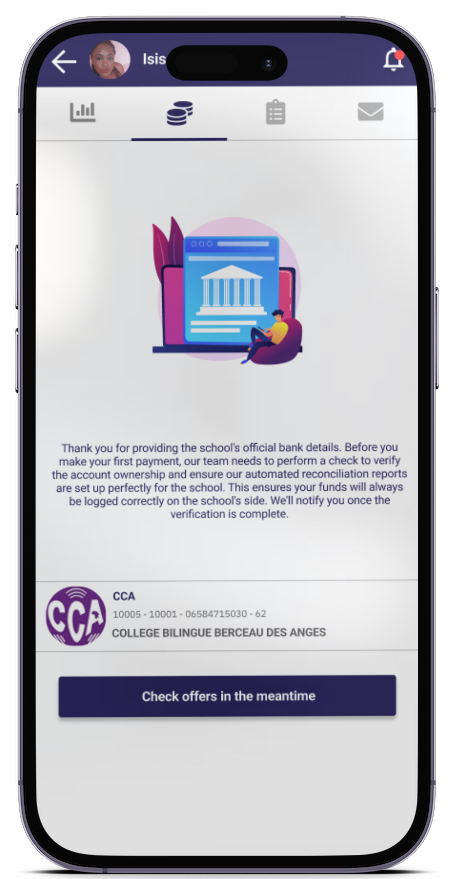
Step 2: Verifying the school’s bank details
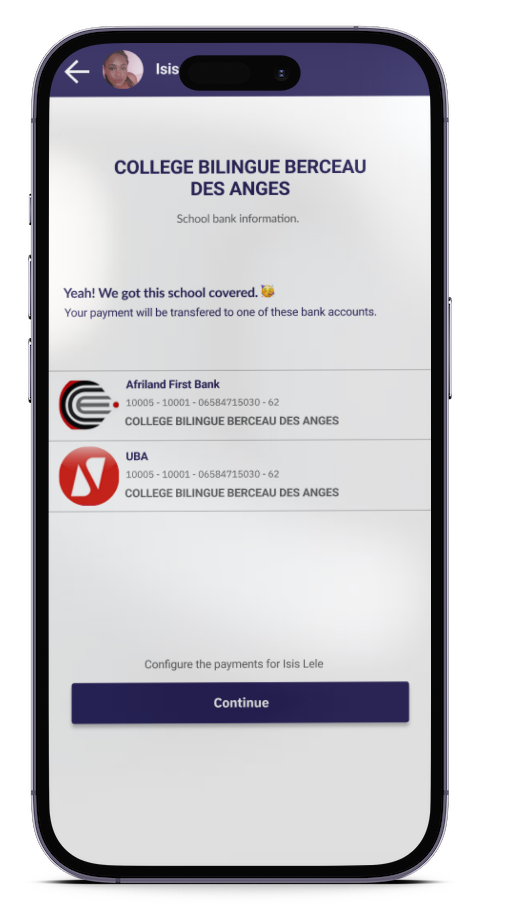
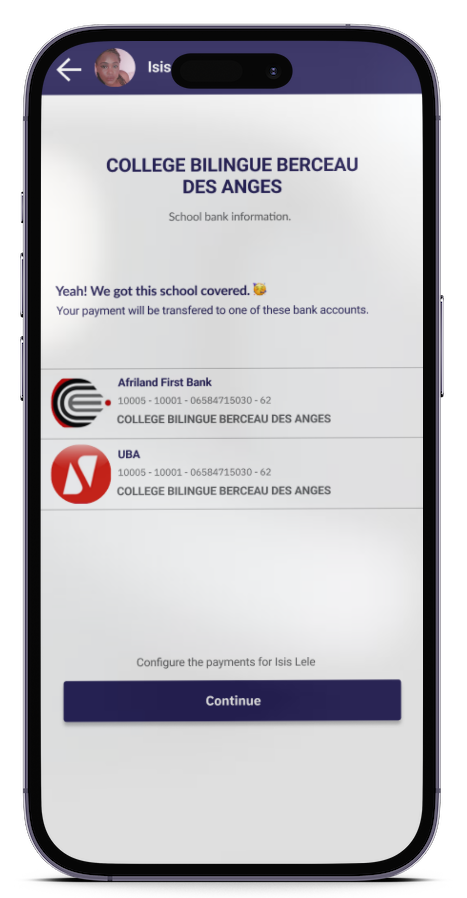
If the school is already verified:
- The bank details will appear automatically
- Tap “Continue”
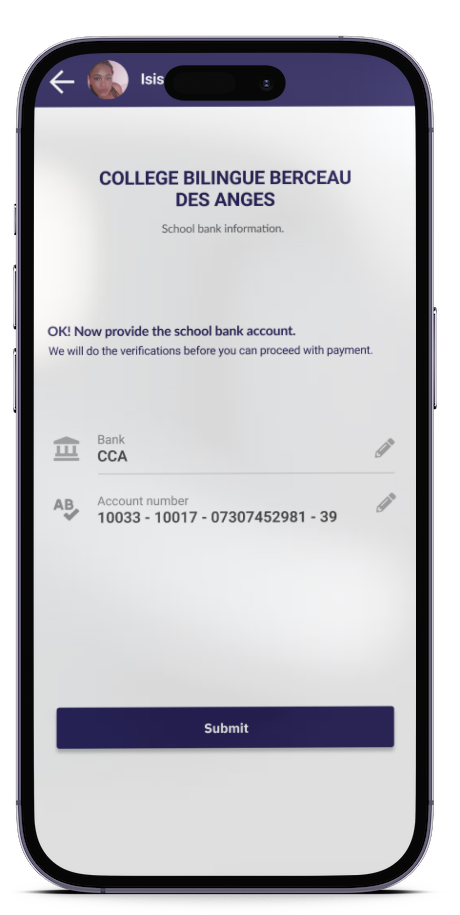
If the school is not yet registered in the application:
- Select the school’s bank
- Enter the official bank account number. You can find it on the school flyer or ask the school administration
- Tap “Submit”
This information is verified to ensure payment security. You will be notified as soon as validation is complete.
Step 3: Accessing the “Payment” section
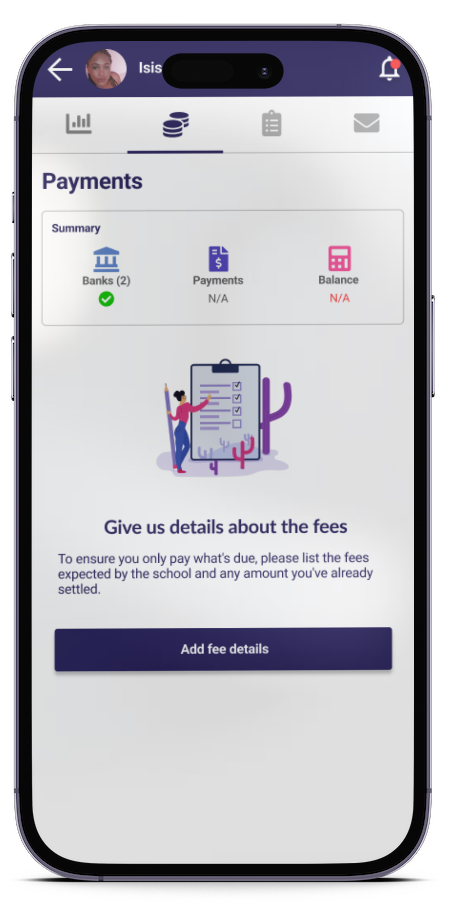
Once the bank details have been registered:
- Open your kid’s profile
- Tap the “Payment” tab (the second tab)
- Tap “Add payment details”
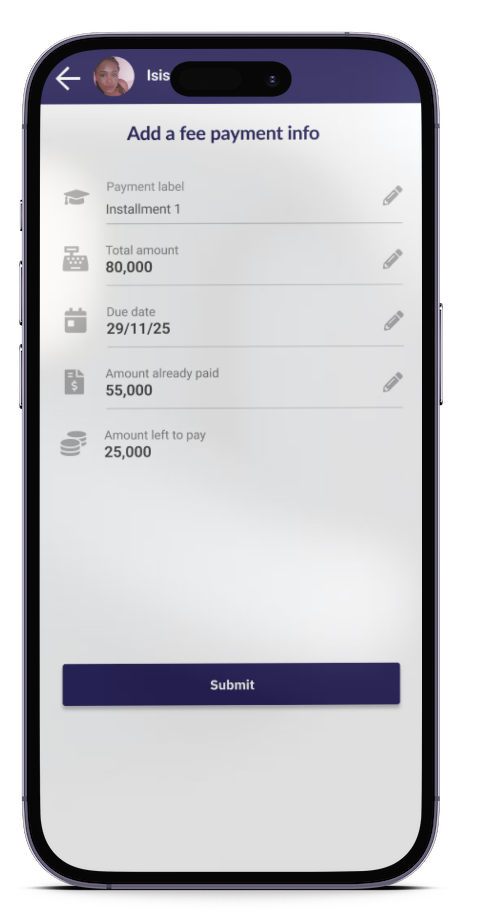
Step 4: Entering the expected school fees
Enter:
- The instalment or type of fee
- The total amount to be paid
- The amount already paid outside the application (if applicable)
- The deadline
Tap “Submit”
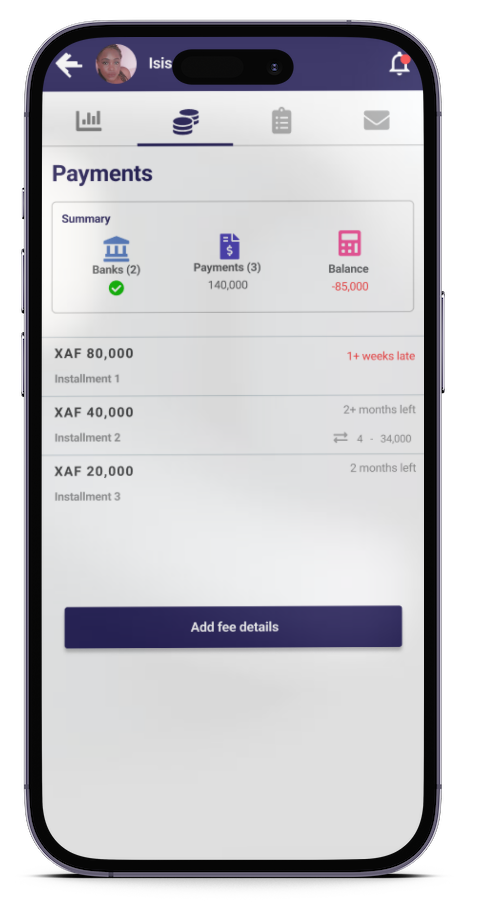
Step 5: Viewing your payments list
Once the payments have been registered, you will be able to access the complete list of submitted payments:
- Overdue payments will appear in red
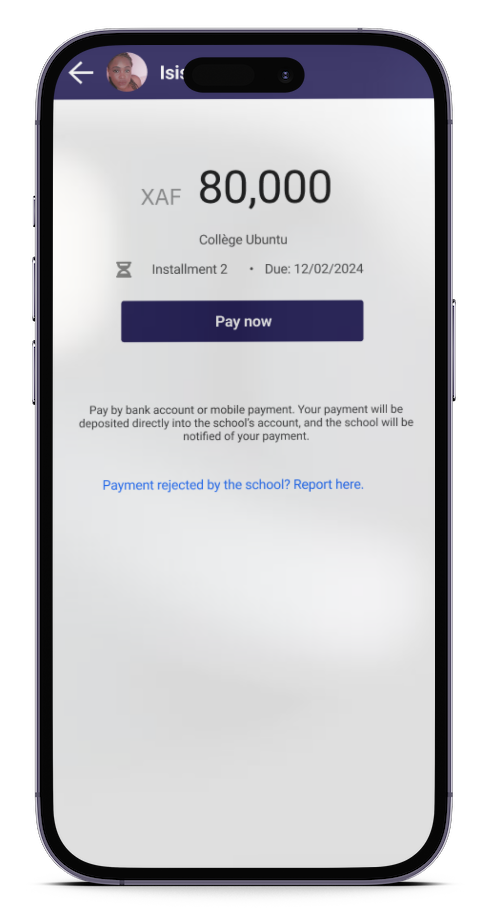
Step 6: Selecting the instalment to be paid
- Tap the payment you wish to settle
- Tap “Pay now”
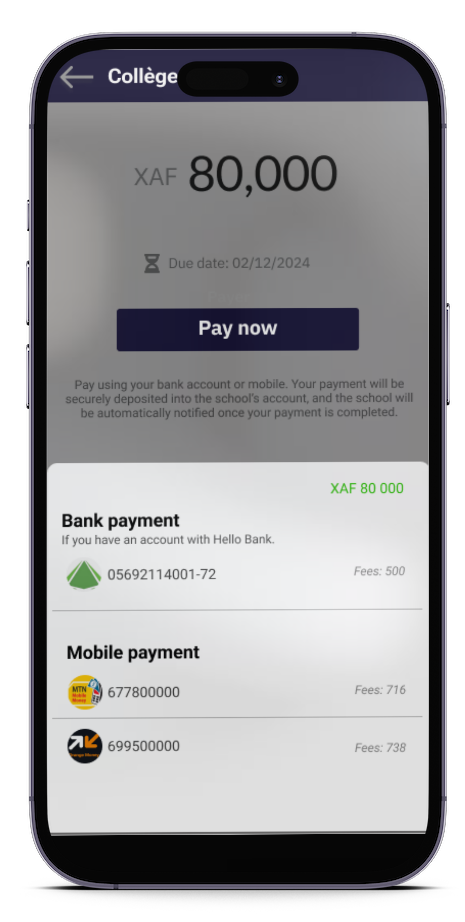
Step 7: Making the payment
- Enter your mobile payment number
- Confirm the transaction
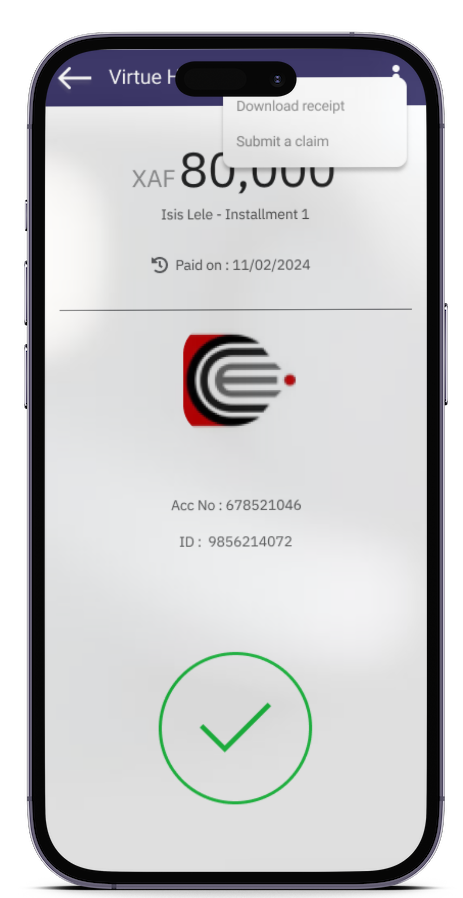
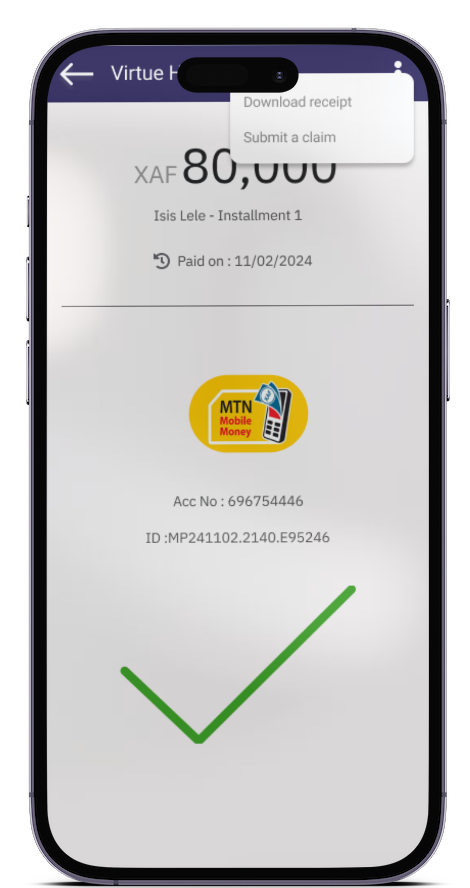
Step 8: Receiving confirmation and downloading the receipt
Once your payment has been validated:
- You will receive a confirmation notification
- You can download and print the receipt directly from the application
The Benefits of Eska
- Secure payments
- No travel required
- Clear tracking of school fees
- Possibility to pay as you goTransaction history and receipts accessible at all times
With Eska, paying school fees becomes simple, fast, and organised. You maintain full control over your payments and avoid any delays or missed deadlines.
Download Eska and pay school fees at your own pace, in complete security.
Available on App Store and Play Store: Dowload link
One reply on “A practical guide: how to pay school fees through Eska ”
[…] Read the article on : https://blog.eskalearning.com/a-practical-guide-how-to-pay-school-fees-through-eska/ […]