

Have you been charged, but haven’t received a confirmation? You can restore your payment instantly. Simply enter the reference code you received by SMS into the app. Everything will be sorted out with just one click.
Case 1: Immediately upon completion of the transaction
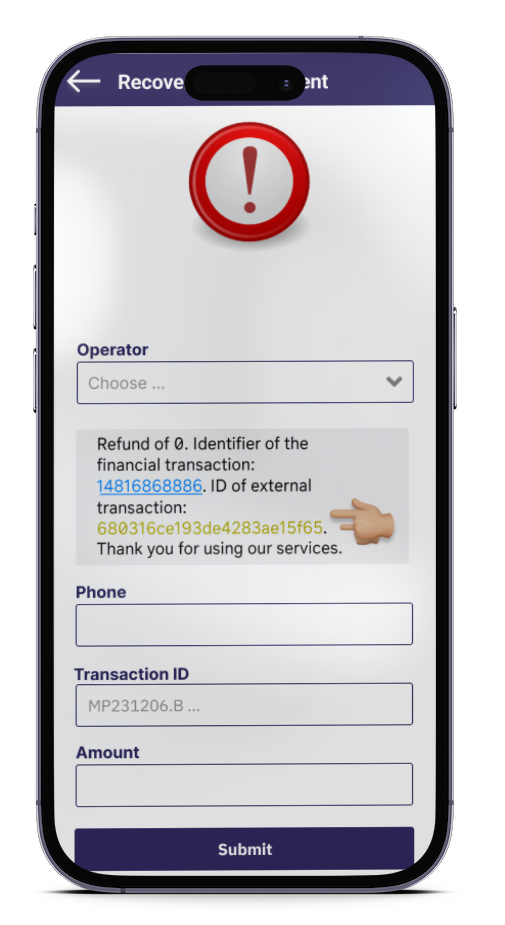
If for any reason the Eska server is unable to confirm your transaction, you will automatically be redirected to a page to attempt automatic recovery. You will just need to fill in…
- You will receive a code via SMS on your phone.
- Enter the details related to your transaction directly.
Case 2: Later after the transaction
If you didn’t notice the payment at the time for any reason and you return later to try and restore it:
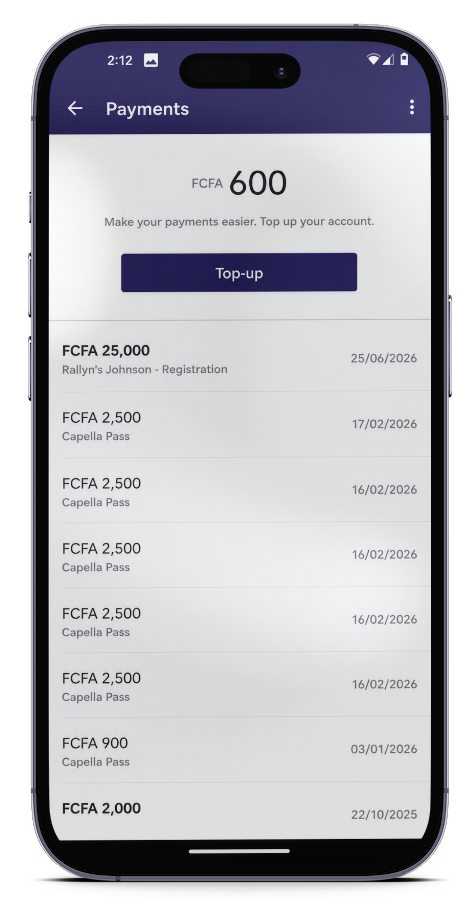
Step 1: Click on the “Payment” tab
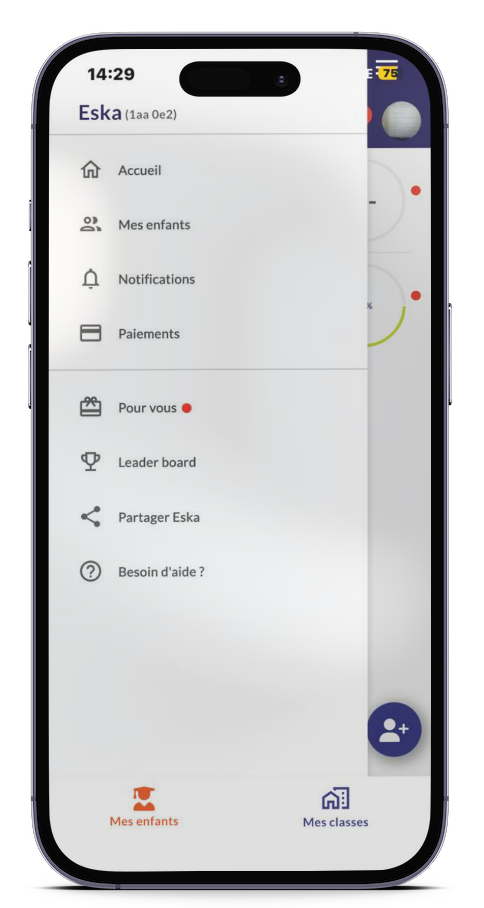
Step 2: Tap the three dots on the left
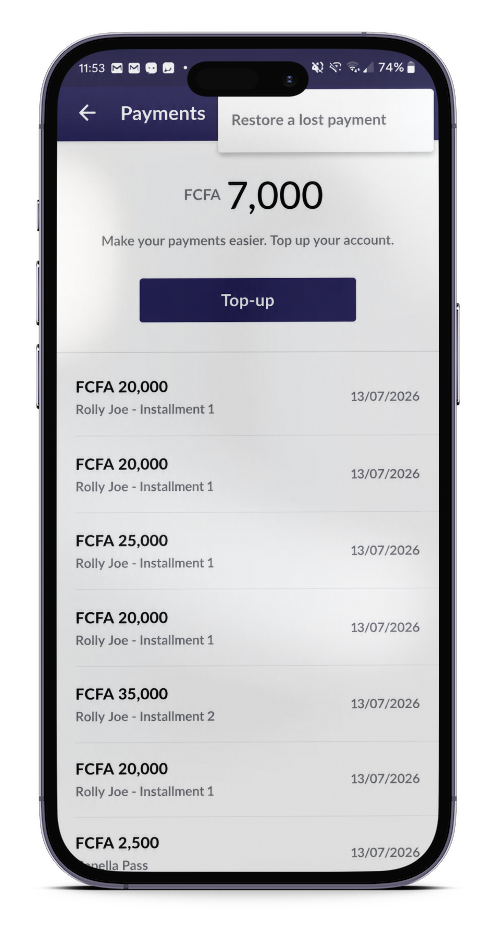
Step 3: Enter all the information related to your transaction
- The provider you used for the payment
- The transaction number
Tap “Submit”
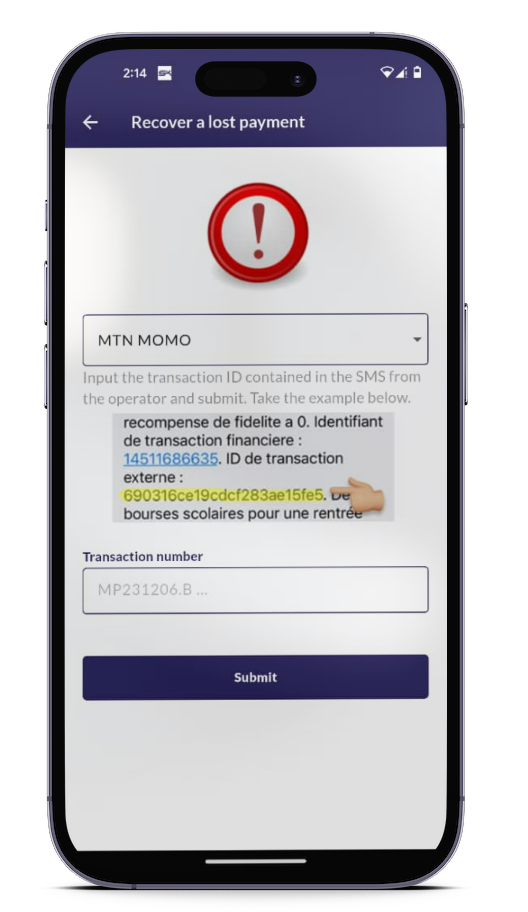
Eska features a built-in issue resolution system. Whether it’s a failed payment or a rejection by the school, users are never left stranded, the platform guarantees an immediate solution.
Download Eska, pay your kid’s school fees, and we’ll take care of all the rest.
Available on App Store and Play Store: