

Your payment has been approved, but the school cannot find it. You can report this to us immediately. Eska has a comprehensive and rigorous support procedure in place to clarify the situation.
How does it work?
Step 1: Report the payment
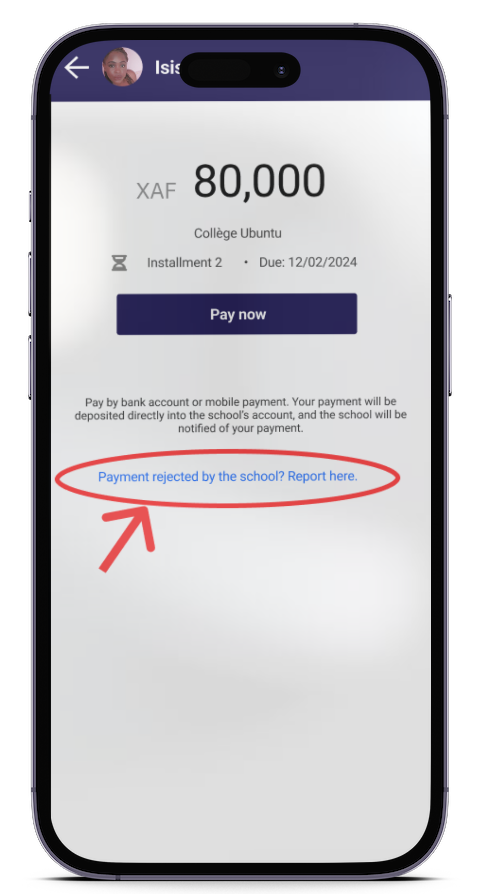
When you are on the payment page,
- Tap: “Payment rejected by the school? Report it to us.”
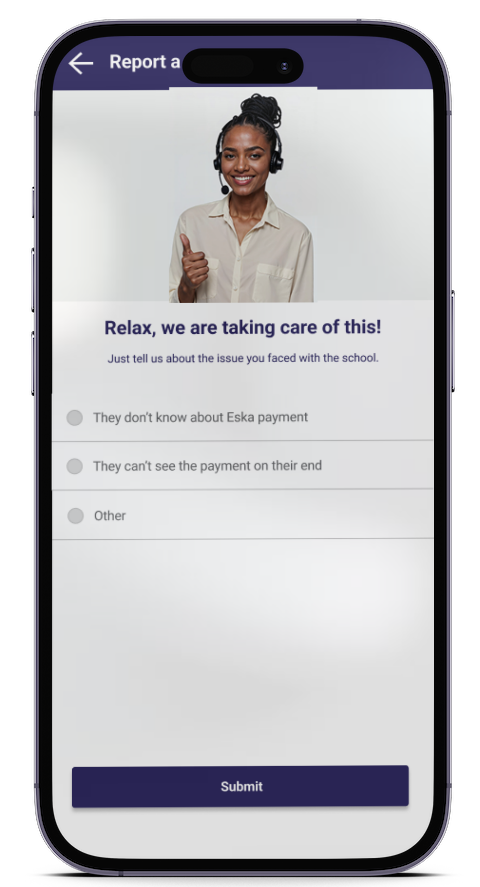
Step 2: Enter the reason for rejection
Once you have finished,
- Tap “Submit”
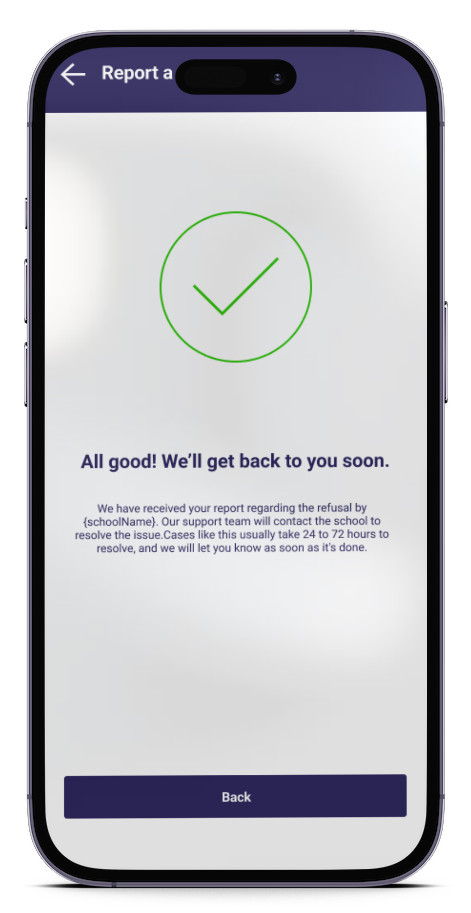
Step 3: Rejection report submitted
Once your request has been submitted,
- Tap “Back”
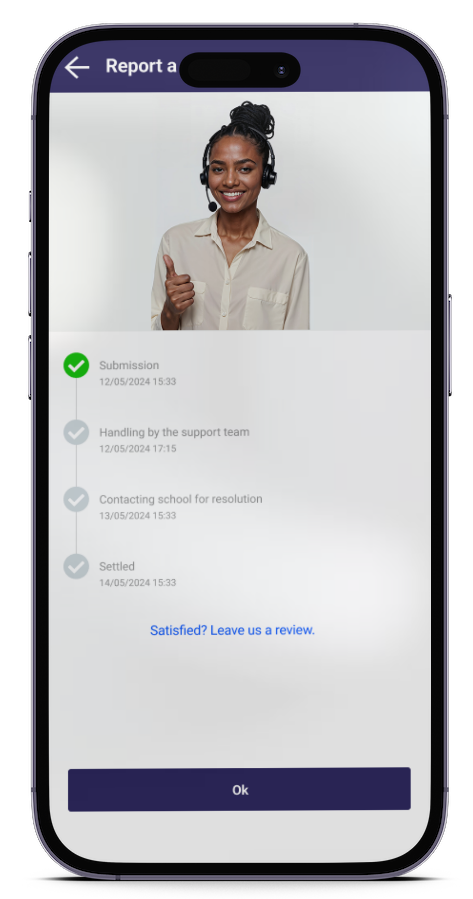
Step 4: Support
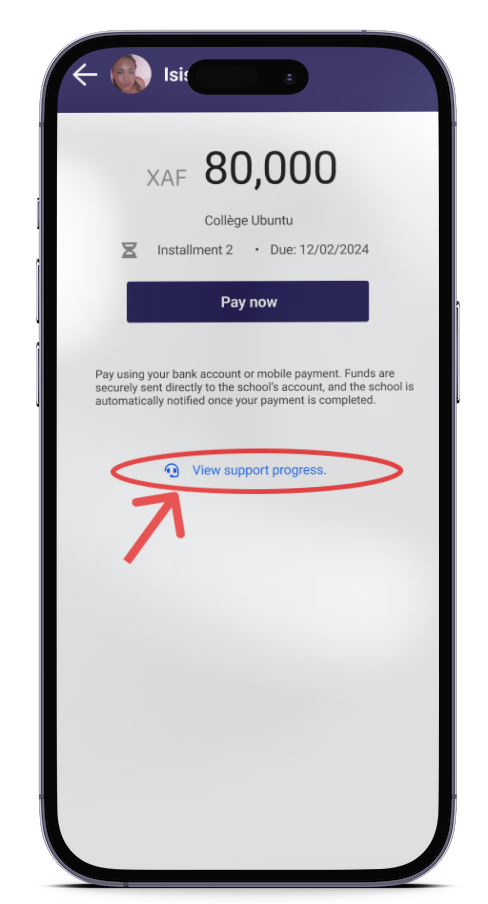
A dedicated support page allows you to track the progress of your request.
Eska features a built-in issue resolution system. Whether it’s a failed payment or a rejection by the school, users are never left stranded, the platform guarantees an immediate solution.
Download Eska, pay your kid’s school fees, and we’ll take care of all the rest.
Available on App Store and Play Store: Dowload link